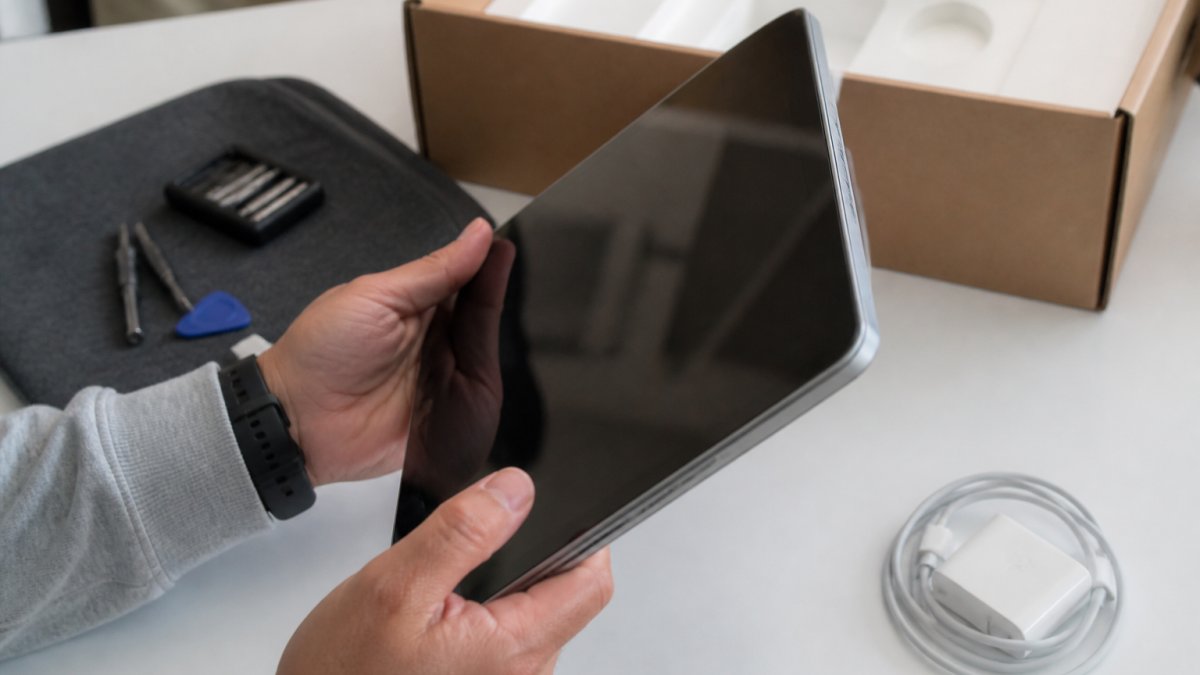
Open box electronics are products that were returned to a retailer or manufacturer after the box was opened, but the item itself may be unused or only lightly used, and understanding what does open box mean for electronics helps you make informed purchasing decisions. The term describes the condition and sales category, not the quality or functionality of the device inside.
When you buy open box, you’re purchasing an item that didn’t go through the standard retail channel. The original customer opened it, decided not to keep it, and returned it. The retailer then inspects the product, repackages it, and sells it at a discount.
The key distinction: open box doesn’t mean broken, damaged, or defective. It means the original packaging was opened. The product inside could be pristine, lightly used, or show some cosmetic wear depending on what happened during the return.
Why Products Are Sold as Open Box
Retailers sell items as open box because opened merchandise cannot be resold as new. Federal regulations treat opened merchandise differently from sealed stock.
Here’s what typically happens:
Customer returns the item within the return window
Retailer inspects the product to confirm it works and assess condition
Original packaging is often damaged during the return or inspection process
Item is reclassified as open box and repriced at a discount
Product is resold through discounted channels or liquidation partners
This creates an opportunity for budget-conscious shoppers to buy working products at a discount while retailers recover costs through resale.
Stores handle thousands of returns monthly and use open box sales to move that inventory efficiently.
Understanding Open Box Electronics Condition Grades
Open box items are sorted into condition categories, but grading standards vary across sellers. Understanding common grades helps you compare listings accurately.
Like-New Condition The item is unused or shows no signs of handling. The original box may be opened and resealed, but the device itself is pristine. All original accessories are included and unused. Battery health is at or near 100% capacity. Expect minimal to no cosmetic wear on ports, buttons, or casing.
Excellent Condition The product was used briefly or shows minimal cosmetic wear. Light scratches on the casing or screen are acceptable. All buttons and ports function smoothly. Battery health is typically 90-99% capacity. Original accessories are present and in good condition. Compare photos carefully across listings to see the actual cosmetic state.
Good Condition The item works perfectly but shows obvious signs of handling. Visible scratches, light dents, or scuffs on the exterior are normal. Battery health typically ranges from 80-90% capacity. All major accessories are included, though some may show wear. Ports and buttons function without issue.
Fair Condition The device has noticeable cosmetic wear and possible missing accessories. Scratches, dents, or scuffs are clearly visible. Battery health may be 70-80% capacity or lower. Some original accessories may be missing. The device still powers on and functions.
Why Grading Standards Vary Different sellers use different criteria to assign grades. When comparing open box listings, examine the photos and read the detailed description to understand what condition you’re actually receiving.
How to Use Grading to Assess Value Pair the condition grade with the device’s age and battery health. Check whether battery health is tested and reported. Ask the seller how they arrived at their grade if the description is vague.
How to Inspect Open Box Electronics Before Purchasing
Before you buy, examine the photos and description provided for the item carefully to understand what does open box mean for electronics in terms of actual condition. Use this checklist to verify condition, functionality, and included components.
Hands inspecting a laptop screen and buttons to see what does open box mean for electronics quality.
Exterior and Physical Condition Review all product photos from multiple angles. Look for scratches, dents, discoloration, or cracks on the casing, screen, and back panel. Check the camera lens, charging port, and buttons for damage. Read the condition description carefully; it should specify any cosmetic issues and their location. If photos are limited or unclear, ask the seller for additional images before purchasing.
Battery Health and Expected Lifespan Battery condition is critical for phones, tablets, and laptops. Check the listing for battery health percentage or capacity information. For iPhones, sellers should report the battery health percentage. For Android devices, ask whether battery health was checked. For laptops, battery cycle count should be provided. A battery at 80-90% health is typical for open box items. Below 70% health, expect shorter runtime and potential replacement within 1-2 years.
Included Accessories and Original Packaging Compare the listing to what typically comes with that specific model. Check whether the original charger, cables, earbuds, and documentation are present. The listing should itemize exactly what’s included. If the description is vague, ask for clarification.
Functional Testing and Reported Results Review what the seller tested before listing. The description should detail testing results. Look for statements like “tested and working” or “all features verified.” If the listing is vague about testing, ask the seller what specific functions were checked.
Data Privacy and Account Removal (Critical for Used Devices) Before accepting delivery, confirm that the device has been factory reset and all prior-owner data wiped. Ask the seller: “Has this device been factory reset?” and “Are all previous accounts removed?” For iPhones, confirm the device is not locked to a previous owner’s Apple ID (activation lock). For Android devices, confirm the Google Account has been removed.
Serial Number and Device Verification If the listing includes the device’s serial number or IMEI (for phones), you can verify that the device is not reported as lost or stolen. Use the manufacturer’s official tool: Apple’s Find My, Google’s Find My Mobile, or Samsung’s Find Mobile. Enter the serial number or IMEI to confirm the device is not flagged. This protects you from purchasing a device that may be remotely locked or reported as stolen.
Ask Questions Before Buying If anything is unclear, contact the seller with specific questions about condition, functionality, or what’s included. Ask for additional photos of specific areas if you have concerns. Confirm battery health, account removal, and testing results in writing. The seller’s responsiveness and willingness to answer detailed questions is a good indicator of their reliability.
After Purchase: Verify Within the Return Window Once you receive the item, power it on immediately and verify that it matches the listed condition and description. Test all buttons, ports, and features. Confirm battery health if possible. Verify that the device is not locked to a previous account. Check that all listed accessories are present and functional.
Open Box vs Refurbished Electronics: Key Differences
Open box and refurbished are not the same, though people often confuse them. Understanding the difference helps you make better purchasing decisions.
Open box items were opened by a customer but typically not used or minimally used. They may have never left the original packaging or were used briefly and returned. The retailer inspects them and resells them as open box.
Refurbished items have been professionally restored to working condition. They may have been returned, traded in, or repaired. A technician tests and repairs them, replaces worn parts, and verifies full functionality. Refurbished items often come with a refurbished warranty.
The key difference is the level of professional restoration. Open box is usually minimal inspection and repackaging. Refurbished involves actual repair work and testing by a technician.
Condition expectations differ between the two:
Open box: Ranges from like-new to good condition with possible cosmetic wear
Refurbished: Restored to working condition, cosmetic appearance varies, may have replacement parts
Warranty coverage also varies:
Open box: May have limited or no warranty, depends on the seller
Refurbished: Usually includes a manufacturer or seller warranty
For most shoppers, open box is better if you want a nearly-new item at a discount. Refurbished is better if you need a warranty and don’t mind cosmetic imperfections.
Open Box Electronics Warranty and Return Protection
Warranty coverage on open box electronics depends on the seller and the manufacturer. This is critical to understand before you buy.
Manufacturer warranty may or may not apply to open box items. Some manufacturers honor their original warranty even for open box products. Others limit coverage to refurbished items only. Check the product listing or contact the manufacturer to confirm.
Seller warranty is what The Wise Buy and other retailers offer. We provide specific return and protection policies for open box items. Read these carefully before purchasing. Our return window and coverage limits may differ from new product policies.
Return policies for open box purchases are typically stricter than for new items. You may have a shorter window to return or fewer reasons for return. Some sellers don’t allow returns on open box items at all. Always check the return policy before buying.
Extended warranties may be available for open box electronics. These can provide additional coverage beyond the standard warranty. They’re worth considering for expensive items like laptops or tablets.
Battery warranty is particularly important for used or open box electronics. Batteries degrade over time. Some warranties cover battery replacement if capacity drops below a certain threshold. Confirm battery coverage for items you plan to use daily.
Is It Safe to Buy Open Box Electronics
Yes, open box electronics are safe to buy when you purchase from a reputable seller who inspects items properly. The risk is lower than many people assume.
Inspection standards matter most. A seller who tests functionality, checks battery health, and verifies all features is protecting you.
Your protection comes from several sources:
Honest condition descriptions with detailed photos
Functional testing before resale
Clear warranty and return policies
Seller reputation and customer reviews
Avoid sellers who don’t provide detailed photos, skip testing, or give vague condition descriptions. These are red flags that the item hasn’t been properly inspected.
Data privacy concerns apply to used electronics. Before accepting delivery, confirm the device has been factory reset or wiped. Ask the seller about their data-removal process. For phones and tablets especially, make sure previous accounts are removed.
Battery health is the main variable with used electronics. Batteries degrade naturally over time. An open box item that sat unused for months may have slightly reduced battery capacity. This is normal and expected. Check the condition description for battery testing results.
Physical damage risk is real but visible. If cosmetic wear is shown in photos, you know what you’re getting. If the listing says “excellent condition,” the item should match that description.
The safety question really comes down to: Does the seller test items thoroughly? Do they describe condition honestly? Do they back their sales with clear policies?
Frequently Asked Questions
Do open-box items mean they are used?
Not necessarily. Open box means the original packaging has been opened, but the product inside may be completely unused. Some open-box items are customer returns that were never used, while others may have been lightly used or tested. The condition varies by item and seller. Always check the specific condition grade and description on our website to understand exactly what you’re purchasing.
Is open-box better than refurbished electronics?
They differ significantly. Open-box items typically have minimal or no use and retain their original components and warranty eligibility. Refurbished electronics have been returned, repaired if needed, and restored to working condition by the manufacturer or a certified technician, but they may show more wear. Open-box generally offers newer-condition items at lower prices, while refurbished offers certified functionality with potential cosmetic imperfections. Your choice depends on whether condition or warranty coverage matters more to you.
What should I check before buying open-box electronics?
Inspect the product photos and full condition description on our website carefully. Check for cosmetic wear, verify all accessories are included, confirm the device powers on and functions properly, and review the warranty details. Look at our condition grade to understand what level of wear to expect. Examine close-up photos of the device, packaging, and any visible damage. Contact us with questions about specific items before purchasing if anything is unclear.
Do open-box electronics come with a warranty?
Warranty coverage varies by product and seller. Some open-box items retain the manufacturer’s original warranty, while others may have limited or no warranty. Always check the warranty information listed in the product description on our website before purchasing. Review the return policy and any buyer protection offered. Understanding what warranty or return window applies helps you make an informed decision about the value and protection level of your purchase.
When you’re shopping for electronics on a budget, understanding what open box means gives you confidence to make the right choice. The best open box deals come from sellers who inspect thoroughly, describe honestly, and back their sales with clear policies. Look at our pictures and full condition descriptions on our website to see exactly what you’re getting. We’ve tested every item and detailed any wear so you can decide if it’s right for you.

 Add more eligible items to your cart to unlock free shipping.