An open box condition item has been opened, possibly inspected or briefly used, then returned to the retailer, but it is not the same as a used or refurbished product. This guide from The Wise Buy explains what that label means, how to verify it, and when the discount is worth the risk.
The Four Grades of Open Box Items
Retailers rarely use a single standard, but most open box inventory falls into four practical tiers. With no industry-wide grading body, the burden falls on you to translate the retailer’s language into one of these four buckets.
Like-new, factory sealed: The box was opened, the item never was. All original accessories, manuals, and packaging are present. Cosmetic condition is indistinguishable from new.
Open box, fully functional: The item was removed and possibly powered on, but shows no cosmetic wear and includes all components. This is the tier most major electronics retailers label “open box” or “excellent” without further qualification.
Open box, minor cosmetic wear: Scratches, scuffs, or dents that don’t affect performance. This is where the biggest discounts usually sit, and where the label is most often applied loosely.
As-is condition: Missing components, damaged packaging, or untested functionality. Only worth it if you can verify the item yourself.
How to Read a Retailer’s Grade Label
Because no single grading standard exists, the same item can be stickered differently at two stores. A few patterns are worth memorizing:
“Open box” with no qualifier usually means the fully functional tier, but confirm whether accessories are included, since some retailers strip cables and chargers into a separate bin.
“Excellent,” “like new,” or “certified” generally maps to the top two tiers. Ask whether the factory seal was broken, because a resealed box is not the same as an unopened one.
“Good,” “fair,” or “scratch and dent” signals cosmetic wear. Inspect the screen, housing, and any high-contact surfaces before paying.
“As-is,” “final sale,” or “for parts” means no returns and no warranty. Treat the price as the full cost of a gamble, not a discount.
A Practical Grading Rubric You Can Apply Yourself
When the sticker is vague, grade the item yourself using four checkpoints:
Completeness, Are all original accessories, manuals, and packaging present? Missing items push the grade down one tier.
Cosmetic condition, Inspect under bright light. Hairline scratches on a matte surface are normal; deep gouges or cracks are not.
Functional verification, Power on, run a full boot cycle, and test the primary function (screen, motor, heating element, audio).
Documentation, Does the serial number on the device match the box and the receipt? Is warranty paperwork included?
Key Takeaway Grade the item, not the sticker. Four checkpoints, completeness, cosmetics, function, and documentation, will tell you more than any retailer’s marketing language.
Why the Grading Gap Exists
Retailers grade on different axes, cosmetically, functionally, or only by return reason (“customer changed mind” versus “defective return”). That inconsistency is why two identical laptops can carry different labels and prices at two stores in the same mall. Compare the four checkpoints above, not the words on the tag.
Open Box vs Refurbished: Key Differences Explained
Open box and refurbished are not synonyms. An open box item was returned by a customer and typically received only a basic retailer inspection. A refurbished item was sent back to the manufacturer or a certified technician, repaired if needed, and tested against a quality standard before resale.
Watch Out Never assume an open box item includes a manufacturer warranty. Some brands void coverage once the factory seal is broken by a third party. Confirm the warranty terms in writing before you buy.
When Refurbished Makes More Sense
Refurbished wins when the product has moving parts, a battery, or complex electronics that benefit from professional testing, laptops, smartphones, power tools, major appliances. Open box makes more sense for items that were the wrong size, wrong color, or an unwanted gift, where the product was never really used.
The pattern is consistent: the more you save, the more verification you owe yourself. New items remove that burden; open box shifts some to you; used shifts nearly all of it.
How to Inspect Open Box Electronics Before Buying
Inspection separates a smart open box purchase from a regret. A retailer inspection confirms an item powers on and looks presentable; your inspection confirms it actually works the way you need it to.
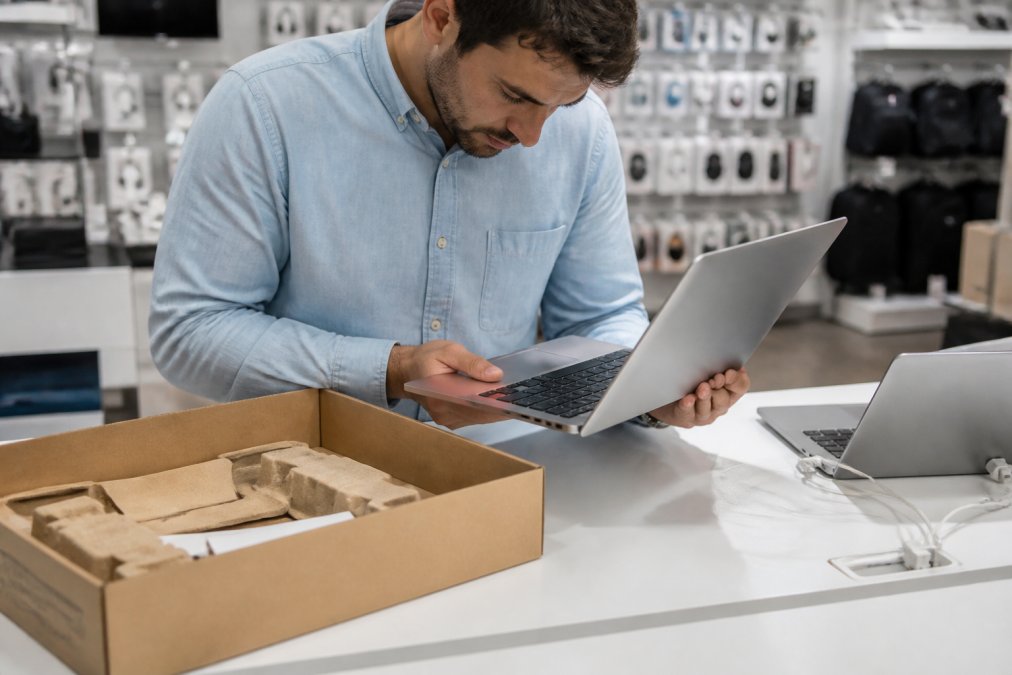
A shopper inspecting a laptop in open box condition, checking the screen and ports at a retail store counter.
The In-Store Inspection Checklist
Use this checklist before you hand over payment:
Original box and all original accessories are present
Serial number on the device matches the one on the box and receipt
No cracks, dents, or deep scratches on the housing or screen
Device powers on and completes a full boot cycle
All ports, buttons, and connections function correctly
Battery charges and holds for a reasonable test period
No missing components listed on the original packaging
Warranty registration card or documentation is included
Pro Tip Photograph the serial number and the item’s condition before you leave the store. If a dispute arises later, that photo is your strongest evidence of the condition at purchase.
Open Box Return Policy: What to Check Before You Buy
Return policies on open box items are frequently stricter than on new merchandise. Many retailers shorten the return window, charge a restocking fee, or exclude open box goods from returns entirely.
Warranty, Resale Value, and the Real Risks of Open Box
Warranty coverage is the most misunderstood part of open box buying, and the confusion traces back to serial number registration. Most manufacturer warranties attach to the product’s serial number, not the buyer, so coverage generally follows the device, but only if it was sold through an authorized channel and the serial number was never flagged as a return, a refurb, or a gray-market unit.
When a product is first sold, the retailer typically transmits the serial number to the manufacturer as an activation. If that product is later returned and resold as open box, one of three things happens:
The activation stays intact. The manufacturer honors the remainder of the original warranty term, measured from the first sale date, not from your purchase date. You may be buying a device with only a few months of coverage left even though it looks new.
The activation is reset or transferred. Some brands allow the retailer to re-register the unit to the new buyer. Coverage restarts or continues from the resale date. This is the best-case scenario and is most common with manufacturer-certified refurbished programs.
The activation is voided. The brand treats the return as the end of coverage. You get whatever warranty the retailer offers, which is often 30 to 90 days.
Retailer Warranty vs. Manufacturer Warranty
These are not the same thing, and open box listings often blur them:
A manufacturer warranty is backed by the brand. It usually requires an authorized purchase and a valid serial number. Claims go through the brand’s service network.
A retailer warranty is backed by the store. It may be a shortened version of the manufacturer term, a store-branded service plan, or a simple return-and-replace window. Claims go through the store.
How to Verify Coverage Before You Pay
A short script saves a long argument later:
Get the serial number. Ask the associate to read it off the device and the box. They should match.
Call the manufacturer’s customer service line (not the retailer’s) and ask two questions: Is this serial number still under warranty, and until what date?
Ask whether the warranty is transferable to a second owner. Some brands allow it; some don’t.
Get the answer in writing, an email confirmation or a printed note on the receipt. A verbal assurance is not evidence.
If the manufacturer says the serial number is not covered, price the item as if it has no warranty at all. That changes the math on whether the discount is real.
Resale and Trade-In Value
Resale value takes a hit too: an open box item typically resells for less than a new one, even if functionally identical, because buyers discount anything without a sealed box. That depreciation is usually steeper than the original open box discount, so upfront savings can be erased if you sell within a year or two.
The Real Risks, Ranked
The risks are straightforward, and they are not equal:
Hidden functional damage that only appears after weeks of use. This is the hardest to catch and the most expensive. Mitigate it by testing thoroughly inside the return window.
A warranty claim that gets denied because the serial number was voided or registered to a previous owner. Mitigate it by verifying coverage before purchase.
A return window that closes before you notice a problem. Mitigate it by testing immediately and documenting condition on day one.
Missing accessories that cost more to replace than the discount was worth. Mitigate it by confirming every component against the original packaging list.
Each risk is manageable with inspection and documentation, but none is zero. Buyers who do well on open box treat the discount as compensation for verification work, not as free money.
Is Open Box Worth It? A Decision Framework
Open box is worth it when the discount is meaningful, the item is verifiable in person or through detailed photos, and the return policy gives you a real window to test it. It’s not worth it when savings are small, the item is complex and untestable, or the seller won’t put warranty and return terms in writing.
Run through this framework:
Is the discount substantial? If the savings are minor, buy new and keep the full warranty.
Can you inspect it? If not, look for detailed product photos and a clear condition description.
What does the warranty say? Confirm coverage in writing before purchase.
What’s the return window? A short window means you need to test immediately.
Do you plan to resell? If yes, weigh the depreciation against the upfront savings.
Frequently Asked Questions
Is it safe to buy an open-box item?
It can be safe when you buy from a retailer that inspects and tests items before resale. Look for detailed product descriptions, actual photos, and a stated return window. Check the item for minor cosmetic wear, confirm all original accessories are included, and verify the manufacturer warranty status. Buying from a seller with a clear inspection process reduces risk significantly compared to buying from an unknown third party.
How does open box vs refurbished differ?
Open box items are typically customer returns that were never used or barely used, still in like-new condition with original packaging and accessories. Refurbished items have been repaired, restored, or reconditioned by the manufacturer or a third party.
Can I expect a full manufacturer warranty on open-box items?
It depends on the retailer and whether the item was ever registered. The warranty status of open box products varies. However, some manufacturers require warranty registration within a specific window, and if the original buyer already registered the product, coverage may not transfer. Always ask the seller about warranty status and keep your receipt as proof of purchase.
What should I inspect first when receiving an open-box product?
Start by checking the serial number against the listing to confirm you received the correct item. Then inspect for physical damage: scratches, dents, or cracked screens. Power on electronics and test all key functions, including ports, buttons, and wireless connectivity. Verify that all original accessories, cables, and manuals are present. If anything is missing or damaged, contact the retailer within the return window immediately.

 Add more eligible items to your cart to unlock free shipping.