How to Verify Refurbished Product Quality Before You Buy?
Homepage How to Verify Refurbished Product Quality Before You Buy?
Last Updated: November 14, 2026
Quick Summary
Refurbished product quality is judged from the listing before you pay: every photo, the full condition description, the named defects, and the stated tests. Because we are online only, the pictures and the full posting on our website are the record to check the item against.
Look at every photo, including ports, seams, and edges, not just one flattering image.
Check that each defect named in the description is visible in a photo, and each visible mark is described.
Confirm what was tested and what was not, and whether accessories and the return and warranty terms are listed.
After delivery, re-check serial match, functions, accessories, and battery within the return window.
If the listing does not answer a checklist line, ask us before you buy.
Ready to shop refurbished with confidence?The Wise Buy lists the full condition, photos and testing details for every open-box item.
What Refurbished Product Quality Means at The Wise Buy
Refurbished product quality comes down to one question: can you trust what the listing tells you before the item arrives? The full condition of each open-box and overstock item is written into its posting on our website, and the photos and description are the main tools you have for checking quality. We are an online-only store, so the product photos and the condition description on each listing are the most important tools you have for checking quality. Read them closely, and compare them with the details we give for that item.
A common mistake is judging quality from a single photo or a short label such as “like new.” Look at every image on the listing, and read the full description, including any notes on scratches, missing parts, or functional testing. The details matter more than the grade name.
Refurbished Product Inspection Checklist for Buyers
A checklist only helps if it produces evidence you can act on. Use the list below in two passes: first on the listing before you pay, then on the item itself once it arrives and while the return window is still open.
Pass 1, Before you pay, on the listing
Photos show the item from the front, back, both sides, top, bottom, and any ports, buttons, vents, or seams
Every scratch, dent, scuff, or discoloration visible in the photos is named in the description, and every defect named in the description is visible in a photo
The description states what was tested and what was not (for example, “powered on and functions tested” versus “cosmetic inspection only”)
The condition grade is stated, along with a plain-language definition of what that grade means for this item
Included accessories, cables, manuals, and original packaging are listed item by item
The model number, capacity or storage size, color, and any region or carrier variant are stated
Return window length, who pays return shipping, and any restocking terms are shown before checkout
Warranty length, what it covers, what it excludes, and how to file a claim are shown before checkout
Pass 2, After delivery, inside the return window
Serial or model number on the item matches the listing
Cosmetic wear matches the photos and description, no undisclosed cracks, deep scratches, or missing feet
Every function named in the description works: power, buttons, ports, hinges, latches, lids, and moving parts
Every accessory listed actually arrived, and cables and chargers are the correct type and wattage
For anything with a battery, the battery holds a charge and reports a health figure consistent with the listing
For anything with storage or a screen, the device boots, completes setup, and shows no account, activation, or firmware locks
For anything with a motor or heating element, it runs through a full cycle without unusual noise, smell, or shutdown
Device-specific checks worth adding
Phones and tablets: test the touch screen edge to edge, both cameras front and rear, speaker and microphone on a real call or recording, the charging port with a cable you know works, and Face ID or Touch ID. Confirm the device is not carrier-locked and has been signed out of any prior account.
Laptops: test every key, the trackpad, both USB ports, the webcam, the speakers, Wi-Fi and Bluetooth, and a full charge-and-discharge cycle. Check the hinge for wobble and the screen for dead pixels on a solid white and solid black background.
Appliances and furniture: open and close every door, drawer, and lid; check that shelves, brackets, and hardware are present; run the shortest full cycle; and confirm dimensions against the listing before you discard packaging.
Provenance: ask for proof, not adjectives
A listing that says “tested” is a claim; a listing that says what was tested, what was replaced, and what was found is evidence. Ask whether service records, a diagnostic report, or a parts list are available for the item.
Data and privacy checks
For any device that stores data or connects to an account, confirm it arrives factory reset, with no prior owner account attached, and with the firmware at a current version.
Use the two-pass checklist to turn each listing claim into something you can verify before paying and again after delivery.
Pass
When
What to check
Pass 1
Before you pay
Photos, condition notes, accessories, model and storage, return and warranty terms
Pass 2
After delivery, inside the return window
Serial match, cosmetic wear, functions, accessories, battery, locks
Device checks
Phones, laptops, appliances
Device-specific functional tests
Provenance
Before you pay
Ask for service records, replaced parts, or diagnostic reports
Certified Refurbished Meaning and What It Actually Guarantees
“Certified refurbished” is a term many buyers assume means a fixed standard. In practice, the meaning depends on who applies the label and what process they follow. Because of this, the label alone does not tell you what was tested or repaired.
Instead of relying on the label, read what the listing says the item went through. For a clear comparison of what each label actually guarantees, see open box vs factory refurbished. Check the condition and testing details on each listing to see what has been checked. If a listing says “certified” but gives no details about inspection or testing, ask us for those details before you buy.
How to Read Condition Descriptions and Product Photos
Condition descriptions are the main way to judge an item you cannot hold. Read the description from top to bottom, and check each claim against the photos. A short, specific description that names visible wear is often more reliable than a long one full of general praise.
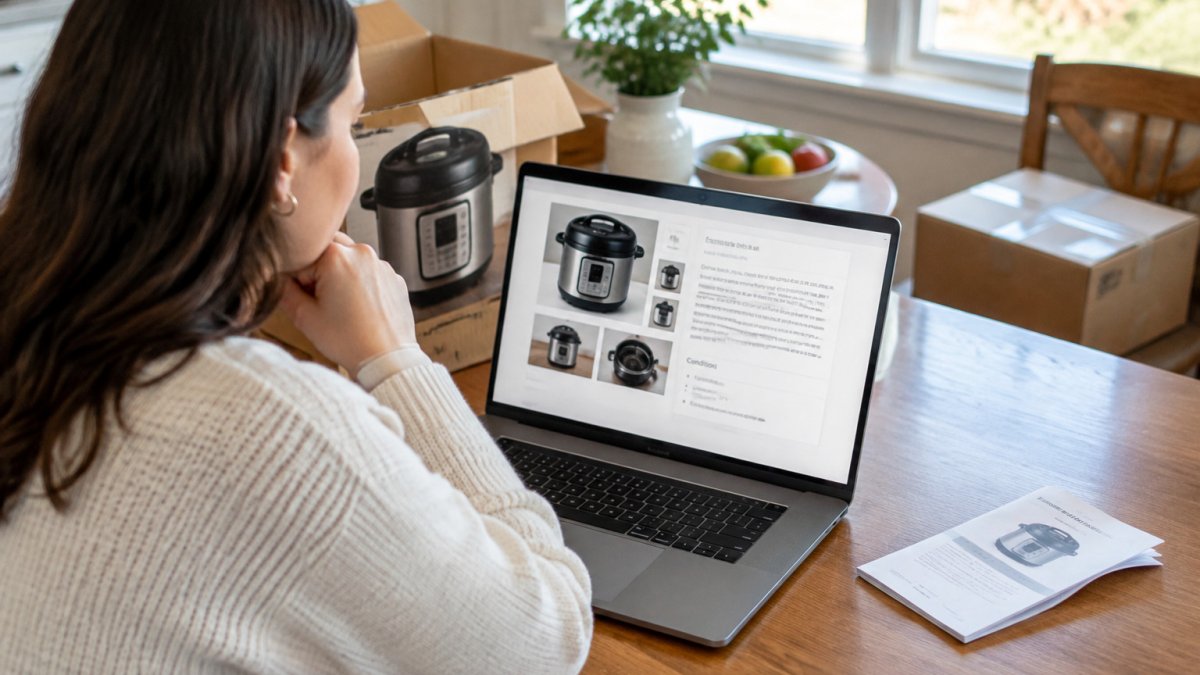
!A person at a kitchen table reviewing product photos and a condition description on a laptop screen, with a small appliance box nearby
A person reviewing product photos and condition details to verify refurbished product quality on a laptop.
(section:How to Read Condition Descriptions and Product Photos)
Reading Condition Grades
Condition grades describe the overall state of an item, but the wording can vary between listings. For a deeper explanation of what each grade means in practice, read what open box condition means. Read the grade together with the notes beneath it. A grade that sounds strong but comes with a note about a dented corner tells you more than the grade alone.
Checking the Photos Against the Description
Compare each photo with the written description. If the description mentions a scratch on the lid, look for that scratch in the photos. If the photos show a mark that the description does not mention, ask us about it. Matching details are a good sign that the listing was written carefully.
How to Check Refurbished iPhone Condition Step by Step
An iPhone is the easiest refurbished purchase to verify because the phone will tell you most of what you need to know, if you ask it the right questions. Work in three stages: read the listing, inspect on arrival, then run a timed test plan before the return window closes.
Stage 1, Read the listing before you pay
Confirm the model identifier (for example, the generation and the Pro or standard variant), storage size, color, and carrier status.
Review photos of the screen, back glass, frame edges, camera lenses, and charging port for cracks, deep scratches, or dents, and check that each one is described in the condition notes.
Confirm whether the battery was replaced, and whether the listing states a battery health figure or a battery condition note.
Confirm whether the phone is unlocked and has been signed out of any prior account.
Confirm the return window and warranty terms before checkout.
Stage 2, Inspect on arrival
Match the model and storage in Settings to the listing.
Check the exterior against the photos, frame, back glass, screen, and camera lenses.
Power on and complete setup yourself; do not accept a device that arrives already signed in.
Confirm the phone is not activation-locked and shows no prior owner account.
Stage 3, Battery health, measured
Open Settings, then Battery, then Battery Health & Charging, and read the Maximum Capacity figure. If the listing quoted a battery figure, compare it to what the phone reports, and ask us about any large gap.
Stage 4, Functional tests
Touch screen: drag an icon slowly around every edge and corner to catch dead zones.
Cameras: shoot with the front and rear cameras, switch lenses, and test flash and video.
Audio: play sound through the speaker, record a voice memo, and make a real call to test the microphone.
Biometrics: enroll and test Face ID or Touch ID.
Buttons and switches: test volume, side button, and the mute switch if present.
Charging: charge with a cable you know works, and confirm the port holds the cable firmly.
Connectivity: join Wi-Fi, pair Bluetooth headphones, and confirm cellular service with a SIM or eSIM if the model supports it.
Stage 5, A timed test plan inside the return window
Intermittent faults rarely show up in the first ten minutes. Run a short plan: on day one, complete setup and the functional tests above; over the next few days, use the phone normally and watch for random restarts, overheating during charging, dropped calls, or a battery that falls faster than expected; before the window closes, re-check battery health and confirm nothing has drifted. If anything fails, contact us with the listing details and a description of the fault.
Watch out: a phone that passes a five-minute check can still fail a multi-day test, a battery that reports a healthy figure can still shut down under load, and a device that boots cleanly can still be carrier-locked, so do not skip the timed plan.
Refurbished Product Warranty Terms to Confirm Before You Pay
Before you pay, read the item listing and ask us if anything about the condition is unclear. To learn whether open box and refurbished items carry a warranty and what it covers, see do open box items have warranties.
Your Next Step: Shop Listings With a Checklist in Hand
Use the checklist above on every listing you consider. Read the full condition and description on our posting on the website, and study every photo before you pay. Browse the current open-box and overstock listings on The Wise Buy website, and check each item against this guide before you buy. For practical guidance on buying tools online safely before you browse, read buy open box tools online safely.
Frequently Asked Questions
How do I check if a product is refurbished?
Look for the condition grade, seller notes, and any mention of testing or inspection in the listing. Compare the product photos with the written description, and check whether the listing names the included parts and accessories. Review the full condition and description on each item page, along with the photos, before you buy. If a description is vague about testing or cosmetic wear, ask for more detail before ordering.
What should a refurbished product warranty cover?
Ask us about any warranty before you buy, and check the item listing for what it says about the product’s condition. A clear written answer is a good sign that you know what you are buying.
Is refurbished better than used?
Refurbished products are typically inspected, tested, and repaired or cleaned before resale, while used products may be sold as they were returned. The condition grade and listing description show what work was done. Compare the condition notes for each item, since a well-described used item can still be a good choice when its condition is clearly stated.

 Add more eligible items to your cart to unlock free shipping.