Open-box condition means a tool has been opened but is still new or like-new, with its original packaging unsealed and possibly some accessories missing.
That definition matters more than most buyers realize. A box that has been opened is not the same as a tool that has been used, and sellers often blur that line.
The Federal Trade Commission’s used merchandise and condition guidance treats condition claims as material to the sale, so a seller who misstates condition is not just being sloppy.
Open-Box vs. Refurbished, Reconditioned, and Used
These four labels are not interchangeable, and the difference decides both your risk and your warranty.
Open-box: New or like-new item, packaging opened, tool itself typically untouched. Retailer or manufacturer warranty usually still applies.
Refurbished: Returned item restored to working order by the manufacturer or a certified partner. Warranty is shorter and defined by the refurbisher.
Reconditioned: Similar to refurbished, often used by tool specialists. Factory-certified reconditioning is the strongest version of this label.
Used: Previously owned and operated. No factory warranty in most cases, condition varies widely.
Watch Out The most common mistake is treating “refurbished” and “open-box” as the same purchase. They carry different warranty terms and different return windows, so a listing that uses the words loosely is a listing to walk away from.
How to Verify an Online Tool Seller and Listing
Verifying a seller comes down to four checks: identity, condition disclosure, return terms, and payment method. Run all four before you add anything to a cart. The section below turns those checks into a repeatable process you can run on any listing in a few minutes.
Step 1: Confirm the Seller’s Identity
Look for a business name, a physical address, and a working contact method. A marketplace listing with no traceable seller is a red flag. Search the business name alongside the word “reviews” and check whether the results point to a real operation or a string of complaints. If the seller only communicates through a marketplace message system and refuses to answer a basic question about the tool, treat that as an answer.
Step 2: Read the Condition Disclosure Word for Word
A trusted seller states whether the item is open-box, refurbished, or used, and names what is missing. Compare the written condition notes against the photos. If the notes say “complete” but the photo shows a bare tool with no battery, the listing is inconsistent, and inconsistency is the single best predictor of a problem. The Federal Trade Commission’s used merchandise and condition guidance treats condition claims as material to the sale, so a seller who misstates condition is not just being sloppy.
Step 3: Check the Return Policy and Money-Back Period
Confirm the return window, who pays return shipping, and whether opened items are excluded, before purchase, not after. A seller who mentions a return window only after you ask is a seller to avoid.
Step 4: Compare the Purchase Price Against the Same Tool New
A discount that looks too deep usually signals a missing battery, charger, or case. Price the missing accessories separately before you decide the listing is a bargain.
Step 5: Scan Reviews for Condition Complaints
Read for “arrived damaged” and “not as described,” not just shipping speed. How a seller handles a condition complaint tells you more than a five-star average.
Pro Tip Save the listing page, the condition notes, and your message thread before you pay. If the item arrives misrepresented, that record is what supports a dispute.
Payment, Privacy, and Fraud Prevention
Pay by credit card or a platform with buyer protection whenever possible. Those channels give you a dispute process if the tool never arrives or arrives misdescribed. Avoid wire transfers, gift cards, and peer-to-peer payment apps for tool purchases; they leave you with no chargeback route.
Guard your personal data too. A legitimate seller needs your shipping address and payment details, nothing more. Requests for a photo of your ID or a copy of a utility bill before shipping are not normal for a tool order.
Seller and Listing Verification Checklist
Business name, address, and a working contact method are visible
Condition label (open-box, refurbished, reconditioned, used) is stated explicitly
Missing accessories are named in the listing
Photos match the written condition notes
Return window, return shipping responsibility, and exclusions are disclosed
Price is compared against the same tool new, with missing accessories priced in
Reviews mention condition accuracy, not just delivery speed
Payment method offers a dispute or chargeback route
Listing page and message thread are saved before checkout
If a listing fails more than one of these checks, walk away. There is always another tool.
How to Inspect Power Tools Before You Buy
Inspection starts before purchase, using the listing itself. Zoom into every photo and check the tool body, the chuck or blade guard, the battery contacts, and the cord or housing for cracks. Ask the seller directly for extra angles if a photo is unclear, and treat a refusal as an answer.
For cordless tools, battery health is the detail most buyers overlook. Ask three questions:
Is the battery included, and is it the original brand or a third-party replacement?
What voltage and platform does it use, and does it match batteries you already own?
How old is the battery, and has it been cycled?
Battery compatibility is where open-box shopping quietly saves or costs you money. A bare tool at a deep discount is only a bargain if you already own that brand’s batteries and charger.
Pro Tip Ask the seller for the tool’s model number and confirm it against the manufacturer’s current lineup. Sellers sometimes list a discontinued model at a price that looks like a deal on the current one.
Open-Box Tool Warranty: What Coverage Actually Applies
Open-box tool warranty coverage depends on who is selling and how the item was classified. Three outcomes are common:
Condition
Typical warranty source
What it usually covers
Open-box, unregistered
Manufacturer, if the tool was never registered
Defects in materials and workmanship
Open-box via retailer
Seller warranty, terms set by the retailer
Short window, often replacement only
Refurbished or reconditioned
Refurbisher’s warranty
Function only, defined period
The key question to ask before buying is whether the manufacturer’s factory warranty transfers to you as a second-hand buyer. Some brands honor it if the tool was never registered; others require proof of purchase from an authorized seller. Get the answer in writing through the seller’s message system.
Manufacturer Warranty vs. Seller Warranty
A manufacturer warranty is tied to the tool and is administered by the brand. A seller warranty is tied to the transaction and is administered by whoever sold you the item. The two are not interchangeable, and an open-box listing can carry one, the other, or neither.
Manufacturer warranty: Usually requires the tool to have been purchased from an authorized seller and may require a receipt. Coverage is typically measured from the original purchase date, not the date you buy it open-box, which shortens your effective window.
Seller warranty: Terms are set entirely by the seller. A common pattern is a short replacement-only window that covers function but not cosmetic condition.
Refurbisher warranty: Covers the tool working as described for a defined period. It rarely covers accessories, batteries, or wear items.
What Warranties Commonly Exclude
Most tool warranties, whether manufacturer or seller, exclude the same categories:
Batteries and chargers, which are often treated as consumables with their own shorter coverage
Wear items such as blades, bits, chucks, and brushes
Cosmetic damage that does not affect function
Damage from misuse, unauthorized repair, or use of third-party accessories
Tools whose serial number has been removed or altered
Proof of Purchase and Registration
Keep everything: the order confirmation, the listing page, the condition notes, and any message thread with the seller. If the manufacturer honors the warranty, you will likely need to show where and when the tool was bought. Register the tool with the manufacturer after it arrives if the brand allows it, registration can simplify a future claim, though it does not create coverage that did not already exist.
Watch Out A warranty that exists on paper but requires a receipt you cannot produce is not coverage. Confirm the proof-of-purchase requirement before you buy, not when the tool fails.
Questions to Ask Before You Buy
Does the manufacturer’s warranty transfer to a second-hand buyer, and does it require an authorized-seller receipt?
Is the warranty provided by the manufacturer or by the seller?
What is the coverage period, and does it start from the original purchase or from my purchase?
Are batteries, chargers, and accessories covered or excluded?
What proof of purchase is required to make a claim?
Get the answers in writing through the seller’s message system and save them with your order records.
Open-Box Tool Return Policy and Money-Back Periods
An open-box tool return policy is only as good as its specifics. Before purchase, confirm four things: the length of the money-back period, who pays return shipping, whether opened items are excluded, and whether the refund is cash or store credit.
Return restrictions on discounted items are common and legitimate, but they must be disclosed up front. A seller who mentions a return window only after you ask is a seller to avoid. If the listing says “as-is” or “final sale,” treat the purchase as non-returnable and price your risk accordingly.
What Should You Check When Open Box Tools Arrive?
Test the tool within the return window, on the day it arrives if you can.
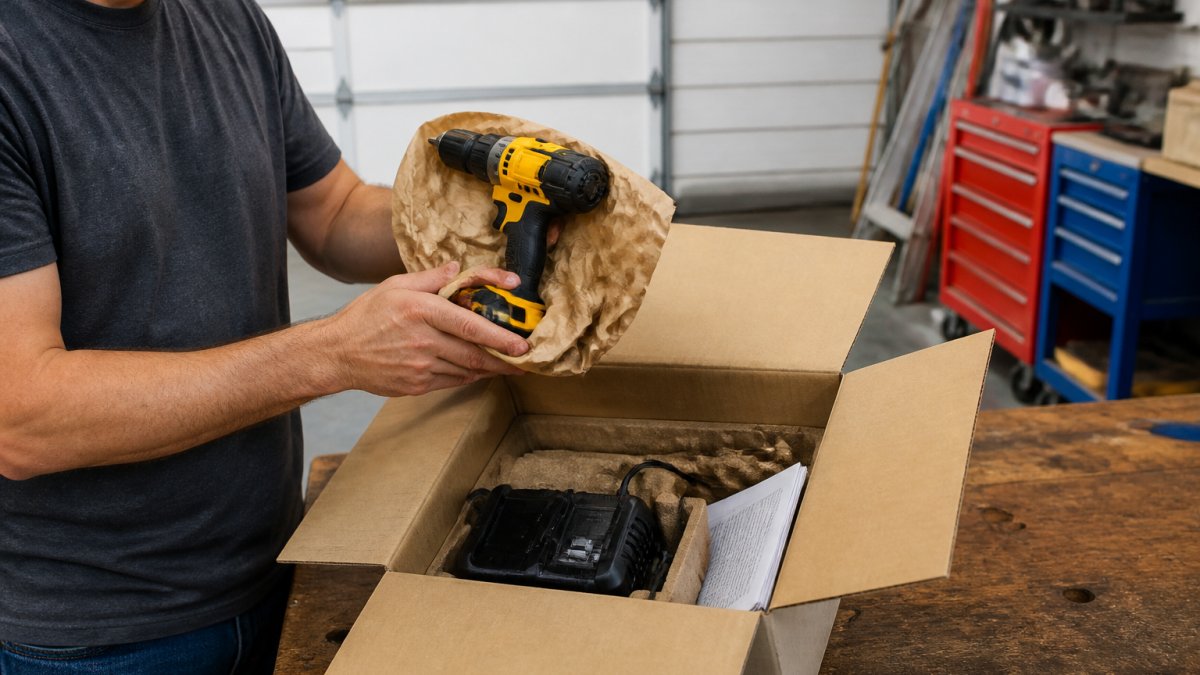
Person on a garage workbench unboxing a cordless drill and charger to inspect their new open box tools.
Photograph the box and contents before opening anything
Confirm every listed accessory is present: battery, charger, case, manual, blades, bits
Inspect the housing, chuck, guard, and cord for cracks or scoring
Check battery contacts for corrosion or heat marks
Power the tool on and run it through its full speed range
Test the trigger, brake, and any safety switch
Compare the tool against the listing photos and condition notes
Report any mismatch to the seller in writing within the money-back period
If something is wrong, document it with photos and contact the seller immediately. Waiting until day 25 of a 30-day window to report a problem weakens your position.
At The Wise Buy, every item we sell is tested and inspected before it is listed, and we publish detailed descriptions and photos so you can judge condition for yourself before you buy.
Frequently Asked Questions
Are open box tools the same as refurbished tools?
No. Open box tools are typically new or like-new items whose original packaging has been opened, while refurbished tools have been returned, repaired, and tested by the manufacturer or a certified technician. A refurbished tool may show light wear or have replaced parts. Open box tools usually carry the original factory warranty, but refurbished tools often come with a shorter warranty from the refurbisher. Always read the listing to confirm which category the tool falls into before you buy.
Can open box tools still be covered by a warranty?
Many open box tools retain the manufacturer’s factory warranty because they were never used or registered. However, some sellers offer only a limited seller warranty or no coverage at all. Before purchasing, check whether the listing states the warranty length, who provides it, and what it covers. Keep your receipt and the original packaging, since most warranty claims require proof of purchase. If the listing does not mention a warranty, contact the seller directly to confirm.
What should I check before buying an open box tool online?
Start by reading the full condition description and examining all listing photos for scratches, missing parts, or signs of prior use. Verify the seller’s return policy and warranty terms. Confirm that all original accessories, batteries, and chargers are included. Check whether the tool is listed as open box, refurbished, or used, since each has different implications for coverage. Finally, make sure the seller accepts secure payment methods and provides tracking information so you can follow your order.
What should I do if an open box tool arrives in a different condition than described?
Document the condition immediately by taking clear photos of the tool and its packaging. Compare what you received against the original listing description and photos. Contact the seller within the return window and explain the discrepancy, attaching your photos as evidence. If the seller offers a money-back guarantee, request a return or replacement. If you paid by credit card and the seller does not resolve the issue, you may be able to dispute the charge through your card issuer.

 Add more eligible items to your cart to unlock free shipping.