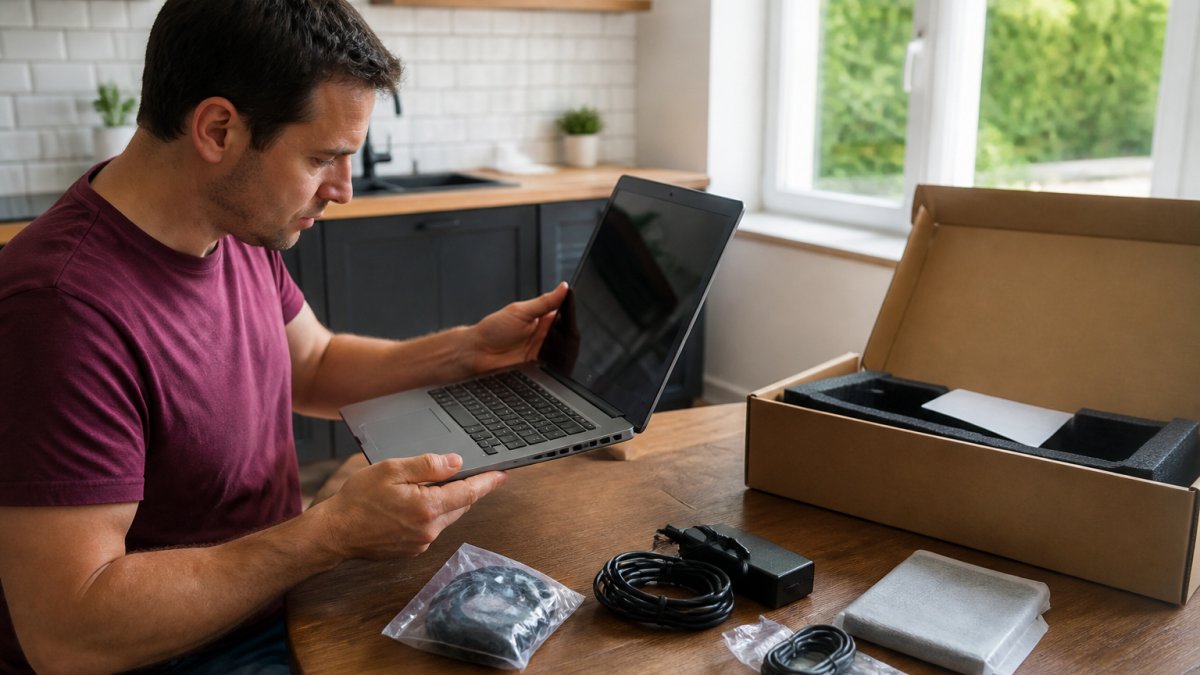
Homepage How to Find the Best Open Box Deals Online
Last Updated: October 29, 2026
Quick Summary
The best open box deals come from sellers that publish a real condition description, photograph the actual unit, and state a return window in writing. Score each listing on condition disclosure, photo quality, return window, warranty clarity, and total landed cost after shipping and tax.
Open box deals are discounted listings for products whose packaging was opened, usually because a buyer returned them.
Most listings fall into four condition grades: new open box, like new, good, and fair or acceptable.
A grade label tells you what to expect cosmetically but not whether the unit was tested.
For laptops and phones, confirm factory reset and carrier unlock status in writing before you pay.
Test the item within the return window and photograph any damage before discarding the packaging.
The sticker price on an open-box listing is not the number that matters.
Open box deals are discounted listings for products whose packaging has been opened, usually because a previous buyer returned them.
Here is the math most buyers skip.
Our advice: price the whole transaction, not the item. Add shipping, add tax, then add your best guess at what a missing accessory would cost to replace.
What Does Open Box Condition Mean?
Open box condition means the product was returned after the packaging was opened, and it is now sold at a discount with its cosmetic and functional state disclosed by the seller.
Condition language is where buyers get burned, because retailers do not use one shared vocabulary. A “like new” label at one seller can mean something closer to “good” at another.
The Four Common Condition Grades
Most listings fall into one of four buckets:
New open box: Sealed contents, damaged outer packaging only. The safest tier.
Like new: Opened and inspected, no visible wear, all accessories present.
Good: Minor cosmetic marks such as scuffs or a small scratch, fully functional.
Fair or acceptable: Visible cosmetic damage, may be missing accessories, sold as-is.
The grade tells you what to expect cosmetically. It does not tell you whether the unit was tested. For a fuller breakdown, see our guide on what open box condition means.
Step-by-step guide for inspecting open box deals to check laptop screen and ports before purchasing.
Best Places to Buy Open-Box Electronics
The best places to buy open-box electronics are sellers that publish a real condition description, photograph the actual unit, and state a return window in writing.
Big-box retailers run open-box programs, but availability varies by location and the descriptions are often thin. Manufacturer outlet stores carry refurbished stock with tighter grading.
What separates a good electronics listing from a bad one is not the category label.
Televisions and Home Theater
Televisions are the category where open-box savings look largest and the inspection burden is heaviest.
Check three things before buying an open-box TV: whether the stand and remote are included, whether the panel has any noted scratches, and whether the seller accepts returns on televisions specifically. Some sellers exclude large TVs from standard return policies.
A practical mechanism: ask for a photo of the screen powered on with a solid color displayed.
Soundbars and receivers are lower-risk. They are easier to ship, easier to test, and missing cables are cheap to replace. For these, weight landed cost and return window over cosmetic disclosure.
Laptops, Tablets, and Cell Phones
Computers and phones carry the highest risk of hidden account locks.
Ask directly: is the device factory reset, is it carrier unlocked, and does it include the charger. Get the answer in writing before you pay.
Two mechanisms do most of the work. First, a factory reset confirmation means the previous owner’s account and data are gone; without it, you may be locked out at setup. Second, a carrier unlock confirmation means the phone will accept your SIM; a locked phone is a paperweight until the carrier releases it.
Battery health is the third question for laptops and phones.
Tablets sit in the middle. Wi-Fi models are simple. Cellular models need the same unlock check as phones.
How to Read an Electronics Listing
Because the sale happens online, the posting is the inspection. Read it in this order:
Photos of the actual unit, including any named flaw.
The full condition description, not just the grade label.
The included accessories, listed item by item.
The return window and who pays return shipping.
For devices, the factory reset and unlock status.
If any of those five is missing from the posting, ask before you buy. A seller who answers in writing is giving you something a stock photo never can.
Watch Out A grade label tells you what to expect cosmetically. It does not tell you whether the unit was tested. Those are separate questions, and the second one matters more.
Inspection starts before the item ships. The listing is your first and best evidence, and a seller who photographs the actual unit is telling you more than one who reuses stock images.
Run this checklist on the listing, then again on the box when it arrives:
Photos show the actual unit, not a manufacturer stock image
Condition grade is stated, with cosmetic flaws named specifically
Included accessories are listed item by item
Return window and who pays return shipping are stated
Serial number or model number is visible in the photos
For devices: factory reset and carrier unlock confirmed in writing
On arrival, test the item within the return window. Not a week later. Plug it in, run it through its main functions, and photograph any damage before you discard the packaging.
Look for listings that are photo-heavy for exactly this reason.
Open-Box Return Policy and Warranty Protection
Return policies on open-box items are narrower than on new products, and the difference is worth reading twice.
Warranty coverage is the bigger question.
Two protections do most of the work for you. First, a credit card with purchase protection can cover damage or loss shortly after purchase. Second, a written return window gives you a deadline to test the item.
Watch out: buying an open-box appliance with no stated return window and no confirmed warranty leaves you with no recourse if it fails in month two.
For the full picture on coverage and how it varies by seller, read our breakdown of open box warranties.
A Consistent Retailer Comparison for Open Box Deals
Comparing sellers fairly means scoring them on the same criteria, not on whichever one has the flashiest discount that week.
We use five criteria: condition disclosure, photo quality, return window, warranty clarity, and total landed cost after shipping and tax.
Criterion
What Good Looks Like
Why It Matters
Condition disclosure
Named flaws, not just a grade
Tells you what arrives
Photo quality
Actual unit photographed, multiple angles
Proves the unit exists and shows wear
Return window
Stated in days, in writing, with who pays return shipping
Gives you a test deadline
Warranty clarity
Coverage confirmed before purchase, in writing
Decides long-term risk
Total landed cost
Item plus shipping plus tax
The real price you pay
Score each seller one to five on all five rows and add them up. A seller that wins on price but scores low on disclosure and returns is not the better buy, because the risk sits with you.
A Worked Example
Suppose two listings for the same open-box laptop. Listing A is cheaper on the sticker but shows one stock photo, says “good condition” with no named flaws, and states a short return window. Listing B costs more up front, photographs the actual unit including a scuff on the lid, lists every included accessory, and states a longer return window with the seller covering return shipping.
Run the scorecard. Listing A may score well on landed cost and poorly on disclosure, photos, and returns. Listing B may score lower on landed cost and higher on the other four. In practice, the listing with named flaws and real photos is usually the safer buy even when the sticker is higher, because you are paying for information rather than gambling on it.
Category-Specific Guidance
The same scorecard produces different winners depending on what you are buying:
Televisions and large home theater: weight photo quality and return window heaviest. Panel damage is hard to see and expensive to ship back.
Laptops, tablets, and phones: weight condition disclosure and warranty clarity heaviest. Account locks and carrier locks are the hidden risks.
Appliances: weight accessory disclosure (cords, hoses, plugs) and return window heaviest. A missing part can cost more than the discount.
Small accessories and audio: weight landed cost heaviest. These are low-risk, so price and shipping dominate.
How to Apply It to Our Listings
We are online only, so the posting is your storefront. Every listing carries photos of the actual unit and a full condition description, and that is exactly what the scorecard rewards: real photos, named flaws, and stated inclusions.
If you want to compare open-box pricing against buying new on the same item, our price comparison guide runs the numbers side by side.
Pro Tip Score three listings before you buy anything. The exercise takes a few minutes and usually changes which one you pick.
Browse Current Open Box Deals and Create an Account
Inventory in this category moves fast, and the good units sell before the weekend. Set up an account so you can save listings, check new arrivals, and move quickly when the right unit appears.
Each posting should carry detailed photos and a full condition description so you can judge the unit yourself.
Three things make the process easier: a wide selection of trusted brand names across electronics, appliances, tools, and home goods; listings that show the actual unit; and an account flow so you can track what you have saved.
Frequently Asked Questions
Who has the best open box deals?
The best open box deals depend on the category and how you weigh price against protection. Big-box electronics retailers often have deep discounts on TVs and laptops, while online outlets and marketplace sellers may offer the lowest sticker prices but thinner warranties. Compare the same criteria across every source: condition grade, what accessories are included, return window, warranty length, and shipping cost. Check the detailed photos and condition notes on each posting so you can verify exactly what you are getting before you buy.
Are open-box products worth buying?
Open-box products are worth buying when the discount is real and the item’s condition is clearly documented. A unit returned because the buyer chose the wrong size or color is often functionally new. Check the condition grade, confirm all accessories are included, and verify the return window before purchasing. If the price is only slightly below retail, the savings may not justify the risk. When the price is meaningfully lower and the seller provides photos and a clear description, open box is one of the most reliable ways to save on electronics and appliances.
Do open-box items come with a warranty?
Warranty coverage for open-box items varies by seller and product. Some retailers pass through the manufacturer’s remaining warranty, others offer a shortened store warranty, and some sell open box as-is with no coverage. Before you buy, read the listing for warranty language and confirm who honors it. Keep your receipt and the original packaging, since most warranty claims require proof of purchase. If a listing does not state the warranty terms, contact the seller before ordering.
Can you return open-box items?
Return policies for open-box items are usually stricter than for new products. Many sellers allow returns within a shorter window, charge a restocking fee, or exclude certain categories like opened headphones or personal care items. Check the open-box return policy on the specific listing before you buy, and note the deadline. Photograph the item and packaging when it arrives so you have evidence if you need to start a return. Sellers that publish clear return terms make the process much easier.
The challenge with open-box shopping is not finding a discount. It is finding a seller who tells you the truth about the unit before you pay. The Wise Buy tests and inspects every item, photographs the actual product, and publishes a full condition description on each posting, so you can review the pictures and the details before you commit. Create an account with The Wise Buy and start browsing current open box deals with the condition stated plainly.

 Add more eligible items to your cart to unlock free shipping.