Step 1: Set a Budget and Track What You Spend on Tech
Learning how to save money on electronics starts with knowing where your money actually goes. Most people guess at their tech spending and guess wrong. A simple written budget fixes that fast.
Here is a simple system that works:
Set a monthly tech cap. Pick one number and stick to it.
Track every purchase in a notes app or spreadsheet.
Review it monthly. Spot the leaks you forgot about.
Save before you shop. Move a set amount to a separate savings goal.
A common mistake is budgeting for the device but not the extras. Cases, cables, chargers, and subscriptions add up. Build those into the number from day one.
Step 2: Learn How to Find Deals on Electronics
Finding real deals on electronics is less about luck and more about timing and checking. Two habits do most of the work: shop around predictable sales cycles, and verify every price before you pay.
Time Your Purchase Around Sales Cycles
Retailers run on a schedule. Learn it and you stop paying full price. The calendar below is the one most shoppers never build, and it is where the biggest savings hide.
Device
Best window to buy
Why prices fall then
Smartphones
Late November; also the weeks after a new flagship launch
Carriers and retailers discount current models to clear inventory before the next generation ships
Laptops
Back-to-school season; late November; January
Back-to-school promos stack with retailer sales, and January clears holiday leftovers
TVs
Late November through the Super Bowl window; spring
New model years ship in spring, so last year’s sets get cut hard
Tablets
Back-to-school season; late November
Education promos and holiday bundles overlap
Headphones and audio
Late November; January
Accessory markdowns peak with holiday sales and post-holiday clearance
Gaming consoles
Late November; occasional bundle drops
Bundles add value rather than cutting the sticker price, so compare the bundle contents
Monitors and peripherals
Late November; January
Older panel generations clear out when new models arrive
Two product-cycle rules do most of the work:
Buy one generation behind. When a new phone, laptop, or TV ships, the previous model usually falls in price. If you can live one generation behind, you save the most.
Watch the announcement, not the sale. Prices often drop when the successor is announced, not when it hits shelves. Set a reminder around typical launch windows for the category you are shopping.
Verify a Deal Before You Click Buy
A “sale” tag means nothing on its own. Check the real price first.
Compare the final price, not the sticker. Add shipping and tax before you judge. A lower sticker with paid shipping can cost more than a higher sticker with free shipping.
Check the price history. Use a price tracker to see whether the item actually sold at the crossed-out “original” price. If it rarely did, the discount is theater.
Compare across at least three retailers, including the manufacturer’s own store, which sometimes matches or beats retail.
Read the return window and restocking terms before you commit, a short window changes the real value of the deal.
Watch Out A crossed-out “original” price is often inflated to make a discount look bigger. If the price history shows the item rarely sold at that number, the deal is theater. Always check the real selling price.
Screenshot the price, the shipping charge, and the offer terms at checkout. If a price-match or rebate claim gets denied later, that screenshot is your proof. Most shoppers never take it and lose the money.
Stack the Discounts That Actually Apply
Once you have verified the price, layer the savings that are allowed to combine:
Cash-back portals that pay you a cut of the sale
Store loyalty programs with member pricing
Manufacturer rebates on top of the sale price
Gift cards bought at a discount
One layer saves a little. Three layers save a lot. Confirm each offer’s terms, because some exclude sale items and some exclude each other.
Step 3: Consider Open-Box Electronics
Open-box electronics are items someone bought and returned, or overstock that never sold. The box may be opened, but the product is usually in great shape and sells for well below retail.
We are online only, so the listing is where you do your inspection.
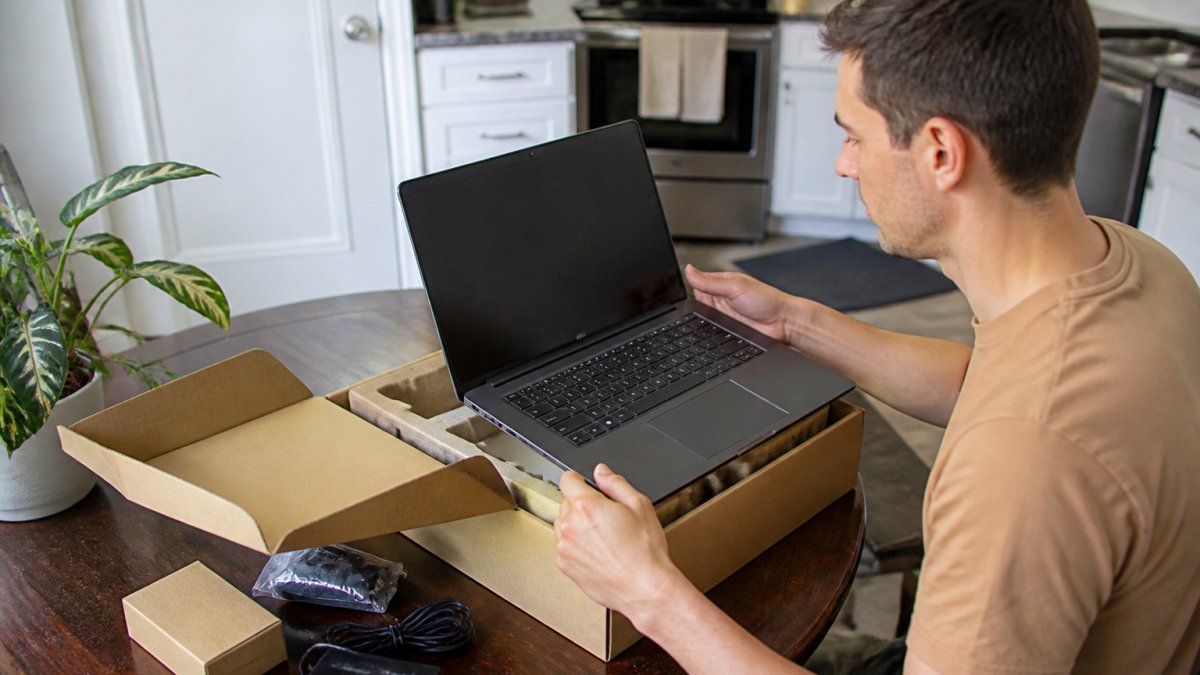
A person unboxing a laptop at a kitchen table, inspecting the screen and accessories with the original packaging nearby
Understand Condition Grades Before You Shop
Sellers use different labels, but most open-box listings fall into a few recognizable tiers. Ask what the label means on the specific listing you are reading.
New / sealed: never opened. Usually the smallest discount.
Open-box, like new: opened or returned, no visible wear, all accessories present. Often the best value.
Open-box, good: light cosmetic wear such as scuffs or scratches, fully functional.
Refurbished: previously used and restored by the manufacturer or a third party. Quality varies widely by who did the work.
What to Check Before Buying Open-Box
Run this checklist on any open-box listing:
Read the full condition description, not just the title
Look at the actual photos of the unit, including any close-ups of wear
Confirm all original accessories are included, chargers, cables, remotes, styluses
Check the return policy and window, and whether a restocking fee applies
A common mistake is buying open-box on price alone and skipping the condition notes. Slow down and read them. The savings are real, but only when you know exactly what arrives.
Protect Yourself on Returns and Warranty
Open-box purchases carry more risk than new ones, so the protections matter as much as the price:
Know the return window. A short window means you must test the device immediately on arrival.
Test on day one. Power it on, check the screen, ports, battery, and accessories, and confirm the model matches the listing.
Get the warranty in writing. Manufacturer warranties may or may not transfer to open-box buyers; confirm before you pay.
Keep the packaging until the return window closes, in case you need to send it back.
Pay with a method that offers purchase protection where available, so a dispute has a paper trail.
Photograph the device and packaging the day it arrives. If something is wrong, that record makes a return or warranty claim far easier to win.
Step 4: How to Save Money on Electronics Online
Online shopping rewards a little homework. The trick to saving money on electronics online is stacking discounts so they add up on one purchase.
One layer saves a little. Three layers save a lot. Just confirm each offer’s terms, because some exclude sale items.
Screenshot the price and the offer terms at checkout. If a rebate or cash-back claim gets denied later, that screenshot is your proof. Most shoppers never take it and lose the money.
Step 5: How to Save Money When Buying a New Phone
Phones are the biggest single tech expense for most households. The way to save money when buying a new phone is to shrink the gap between the old device and the new one.
Trade In or Sell Your Old Device First
Your old phone is worth something. Two paths:
Trade-in: fast and simple, but usually pays less.
Private sale: more money, more hassle.
Get a trade-in quote first. Then check what the same model sells for used. If the gap is big, sell it yourself.
Before you hand over any device, wipe it completely. Back up your data, sign out of every account, and factory reset it.
Buying one generation behind is the other big lever. Last year’s flagship still runs everything you need, and it costs far less than the newest model.
Step 6: Cut Energy Costs and Unplug What You Don’t Use
The savings don’t stop at the checkout. Electronics keep costing you every month through electricity. Small habits cut that bill.
Turn devices off when you finish using them.
Unplug chargers that aren’t charging anything.
Use smart power strips to kill standby drain in one switch.
Enable sleep settings on TVs, consoles, and computers.
Skip the always-on setting on streaming boxes overnight.
Standby power is the quiet leak. Devices on “off” still draw a trickle. A power strip with a switch ends that in one move.
Step 7: Repair, Reuse, or Recycle Before You Replace
The cheapest device is the one you already own. Before you buy new, ask whether the old one can be fixed.
Repair: a new battery or screen often costs far less than a new device.
Reuse: hand down old tech to another room or family member.
Recycle: when it’s truly dead, recycle it properly and recover value.
Many manufacturers run trade-in and recycling programs that pay a little or at least take the device off your hands safely. Wipe your data first, every time.
Use this quick decision guide:
Situation
Best Move
Why
Slow but working
Repair or reset
Cheapest fix
Cracked screen
Repair
Far less than new
Dead battery
Replace battery
Extends life years
Truly broken
Recycle or trade in
Recovers some value
Still works, you upgraded
Sell or hand down
Puts money back
Common Mistakes That Cost You Money on Electronics
Even careful shoppers leak money. These are the mistakes we see most, and each one is easy to fix.
Buying on impulse during a “sale” without checking price history
Skipping the condition notes on discounted and open-box items
Ignoring the return window until it’s too late
Paying for extras you never use, like extended plans you don’t need
Forgetting to wipe old devices before trade-in, risking your data
Key Takeaway The biggest savings come from three moves: buy one generation behind, verify every price before you pay, and repair before you replace. Do those and the discounts take care of themselves.
Frequently Asked Questions
Are open-box electronics worth buying?
Open-box electronics are often worth it when the listing shows the exact condition and includes clear photos. An open-box item has typically been opened, inspected, and sometimes returned, so it sells for less than new. Before buying, check the condition notes, confirm all accessories are included, and review the return policy. If the description and pictures match what you need, open-box is one of the simplest ways to save money on electronics without giving up brand-name quality.
How can I tell whether an electronics deal is a good value?
Compare the sale price against the current price at two or three other retailers, not the original list price. Check the model number to make sure it is the same version, and confirm whether tax, shipping, and restocking fees change the total. A deal is only good if the final out-the-door cost is lower and the return window is reasonable. Price-tracking tools and browser extensions can show whether the price is actually low or just labeled as a discount.
Should I buy refurbished or open-box electronics?
Both can save money, but they mean different things. Refurbished items have usually been repaired or restored by the manufacturer or a certified technician, while open-box items were opened but may not have been used much. Refurbished often comes with a limited warranty; open-box warranties vary by seller. Read the condition description and photos carefully, and pick the option with the clearest return policy. For phones and laptops, manufacturer-refurbished units are often the safer bet.
How can I save money on electronics online?
Start by setting a budget and tracking spending so you do not buy on impulse. Then compare prices across retailers, sign up for store promotions and loyalty programs, and use cash-back offers or manufacturer rebates when available. Buying open-box or refurbished items and trading in old devices can lower the cost further. Always verify the seller’s return policy and read the full condition description before checkout, especially on discounted items.
Saving real money on electronics takes a plan, not a lucky coupon. The Wise Buy makes that plan easier with tested open-box and overstock electronics, detailed photos, and full condition descriptions on every listing so you know exactly what you’re getting. Create an account with The Wise Buy and start shopping smarter today.

 Add more eligible items to your cart to unlock free shipping.